Pinterest Boards for Business: What to Check
In my last blog, A Real Pinterest Profile Makeover: What I'm Changing, and Why, I shared how I'd started giving one of my own neglected Pinterest accounts a bit of attention.
I began with the account name, username, banner and bio. All the things that help someone understand what your account is about and who it's for.
But there's another part of a Pinterest profile that deserves just as much attention.
Your boards.
And this is where things can get a little messy, especially if you've had your Pinterest account for years.
What are your Pinterest boards actually telling people?
If you've read anything about setting up Pinterest for business, you'll probably have come across advice about creating boards, using keywords in their titles and writing descriptions.
And it's good advice. I encourage all of those things.
Your board titles should be clear, describe what someone will find inside and, where appropriate, include words your ideal audience is likely to search for.
For example, a board called "Healthy Lunch Ideas" is much more useful than one called "My Favourite Things".
But there's something I think is even more important than having perfectly named boards.
Do they actually belong on your business Pinterest account?
Because you can have a lovely collection of boards, all with sensible names and descriptions, but if they have little to do with your business, what are they really achieving?
A little example from a client account
When I first started managing Pinterest for a health coach, one of the things I looked at was her existing boards.
Alongside the health and wellbeing content were boards for things like dream homes, nails and makeup.
Now, there's absolutely nothing wrong with any of those interests. I enjoy browsing all sorts of things on Pinterest myself.
But this was a business account for a health coach.
Someone arriving at her profile would be looking for information about improving their health, feeling better, managing their weight or building healthier habits.
They probably weren't expecting to find dream houses and nail designs.
So what did we do?
We made those personal boards secret.
We didn't need to delete them. She could still enjoy saving ideas to them, but they no longer appeared alongside her business content.
A fairly small change, but one that helped make the purpose of the account much clearer.
And that's something worth remembering. Not everything you enjoy on Pinterest needs to be part of your business Pinterest profile.
And what about my own Pinterest boards?
Of course, while I'm sharing advice about reviewing Pinterest boards, I need to take a look at my own!
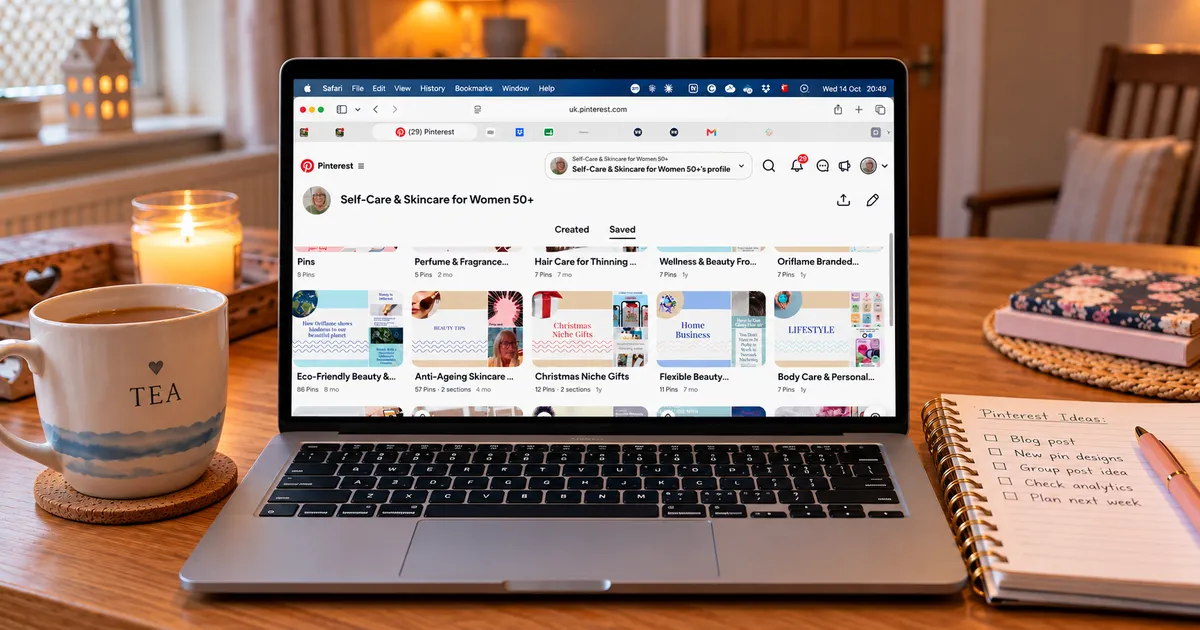
As part of the Pinterest makeover I started in my last blog, I've been going through the existing boards on my skincare and self-care account.
And some of the titles were very broad.
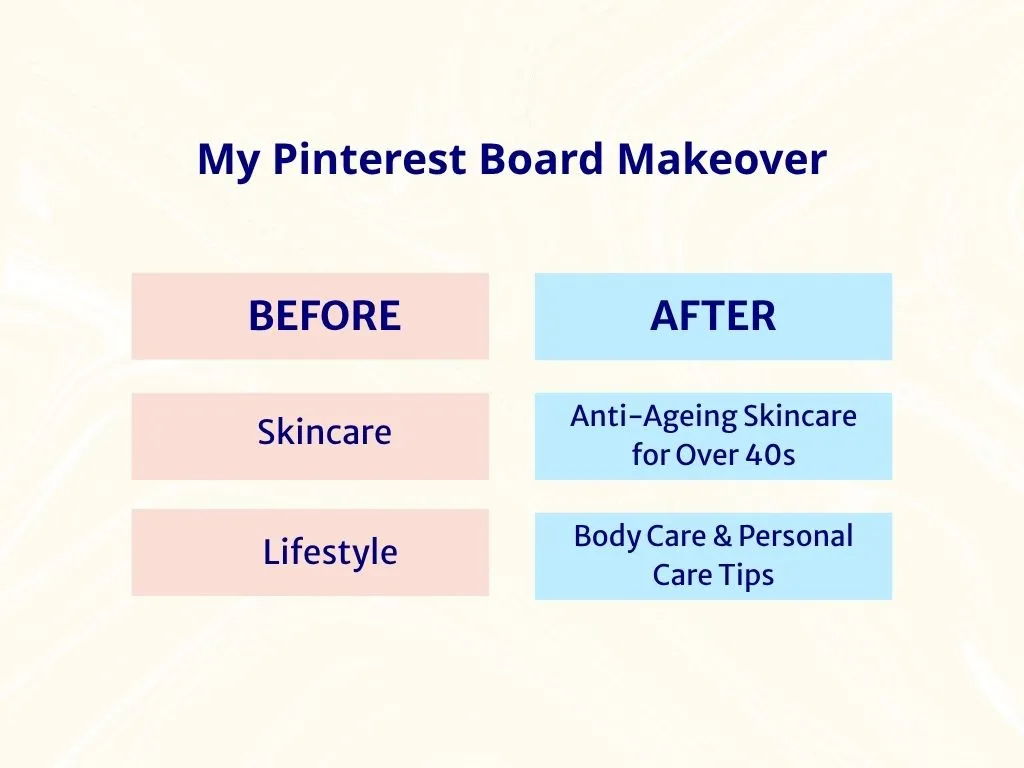
For example, I had a board simply called "Skincare".
Nothing particularly wrong with that, but skincare is a huge subject. It doesn't really tell someone what kind of skincare advice they'll find inside.
So I changed it to "Anti-Ageing Skincare for Over 40s".
Much more specific, and much more relevant to the audience I want to reach.
Another board was called "Lifestyle".
Now, that could mean absolutely anything, couldn't it?
I've renamed that one "Body Care & Personal Care Tips", which gives people a much clearer idea of what they'll find there.
These aren't huge changes, and I haven't suddenly created lots of new boards.
I've simply looked at what I already had and made the titles work a little harder.
And that's really the point of this whole makeover. Sometimes improving your Pinterest account isn't about adding more. It's about making what you've already got clearer and more useful.
Start with your business, not the number of boards
One question I see quite often is, "How many Pinterest boards should I have?"
And you'll find plenty of advice giving you a number to aim for.
But I don't think starting with a number is particularly helpful.
I'd much rather see a business with a handful of relevant boards than lots of boards created simply because someone said they needed them.
Think about what your business actually offers and what your ideal clients are looking for.
If you're a health coach working with women over 50, your boards might cover things like healthy eating, improving sleep, managing energy levels or gentle exercise.
If you're a business coach, your boards might focus on business planning, productivity, mindset or growing a business.
Of course, these are just examples. Your boards should reflect the subjects you genuinely talk about in your business and the content you have to share.
There's little point creating a board called "Healthy Breakfast Recipes" if you never share anything about breakfast!
The important thing is that your boards make sense together.
Your profile tells people what your business is about. Your boards then help them explore the different subjects you cover.
And the Pins inside those boards should deliver what the board title promises.
A few things I'd check on your own boards
If you haven't looked properly at your Pinterest boards for a while, it's worth spending a little time reviewing them.
Here's what I'd look at.
1. Are they relevant to your business?
Look at each public board and ask yourself whether it fits with what you offer and who you're trying to reach.
If it's purely a personal interest, consider making it secret.
2. Are the titles clear?
You don't need clever names or lots of keywords squeezed into one title.
Something like "Easy Vegetarian Lunch Ideas" tells people much more than "Food I Love".
Think about the words someone might actually type into Pinterest when looking for that subject.
3. Have you got boards that are almost the same?
It's easy to end up with several boards covering very similar subjects, particularly if you've been using Pinterest for a long time.
Do they each have a clear purpose, or could some of the content sit happily together?
You don't necessarily need to get rid of them, but it's worth checking.
4. Do the Pins match the board?
This is another one that's easy to overlook.
If your board is about improving sleep, the Pins saved to it should be about sleep.
It sounds obvious, doesn't it? But over time, Pins can end up in boards where they don't really belong.
And don't forget the descriptions. A short, natural description explaining what someone can expect to find is much better than a long string of keywords.
You don't need to start again
If you're looking at your boards now and thinking they're a bit of a muddle, don't worry.
You don't need to delete everything and start from scratch.
Sometimes it's simply a case of renaming a board, updating its description, moving a few Pins or making an old personal board secret.
And remember, your business may have changed since you first set up your Pinterest account.
Perhaps you offer different services now, work with a different audience or have developed a particular specialism.
Your boards should reflect where your business is today, not necessarily where it was three years ago.
That's exactly why I'm working through my own Pinterest makeover one stage at a time. I'd rather get the foundations right than rush into creating lots of new content without a clear direction.
One little job for you this week
Pop over to your Pinterest profile and have a look at your first five public boards.
Ask yourself:
Would someone visiting my profile understand why these boards are here?
Are the titles clear?
Do they reflect what my business offers?
You might find everything is absolutely fine.
Or you might spot a couple of things that could do with a tidy-up.
Either way, it's a useful little exercise and one that doesn't need to take all afternoon.
Pinterest marketing doesn't have to mean constantly creating more Pins, more boards and more work for yourself.
Sometimes it's about making better use of what you've already got.
And that's always a good place to start.
Need a little help with your Pinterest profile?
If you're setting up your Pinterest business account or giving an existing one a refresh, I've put together a free guide to help you get the basics right.
5 Steps to an Optimised Pinterest Account takes you through the important parts of your profile without making things complicated.
And if you'd like to follow along with my Pinterest makeover, come and join us in my Pin for Success Facebook Group, where I share simple, practical Pinterest tips for business owners.
